
Encyclopaedia Offline
Last week I attended an online-safety webinar for parents of young children. I’ll admit I thought I had a reasonable understanding of the risks and the controls. I’m less clear on the human side of things. How do we speak to children about the risks? How do we avoid being dictatorial in the controls we apply? How do we handle the occasions when things go wrong?. The webinar left me with a lot to think about and I can foresee this being a recurring theme for blog posts as we navigate this as a family. For context, our boys don’t yet have devices that they would call their own. When they do use devices, the majority of the time one of us is at least in the same room if not sat next to them.
One thing that wasn’t discussed at all, was the idea that we needed to be online at all. Much of the conversation begins with the assumption that we are going to be online at all. Then, when we are online, the assumption is that we are going to gravitate to spending a terrifying portion of our day camped out on a handful of tech platforms. We teach people how to safely create profiles on social media platforms and forget to support our children in making decisions on whether they should create an account at all. We say that you can’t trust the AI summaries on search results but don’t dedicate enough time to identifying alternative sources of information. We start our children’s journey online by introducing them to big tech platforms and forget to mention that other places exist.
Before you sigh and dismiss this blog post as the ramblings of a naive parent who has a lot to learn, I’ll own that one: I am a naive parent who has a lot to learn. It is inevitable that our boys will end up online, they will use big tech platforms, they will read information from questionable sources, they will be tempted to push boundaries and break rules, and they will make mistakes. I don’t have answers, and I’m going to have to learn to navigate this alongside them.
One of the questions explored during the webinar was; Why? Why are our children spending time online? Overwhelmingly the answer is that is where their friends are. For us this isn’t a challenge yet. The overwhelming demand for access to an online device comes from three things:
- I want to listen to music
- I want to watch something
- I need to research something for homework
Do we really need to be online to do any of these activities? I’ve seen little in the way of discussion or advice for people wanting to provide offline alternatives without depriving children of access to explore their curiosity. When I asked, there was genuine confusion about what I meant by ‘offline resources’. There weren’t any. I half expected to be told to visit a library. Yes we should do that more than we do. But, what I was hoping for, was an offline encyclopaedia. Encyclopaedia Britannica, or Encarta CDs were a staple in many homes when I was at school. These are no longer available with the few listings on eBay described as ‘rare’ and running on Windows 98.
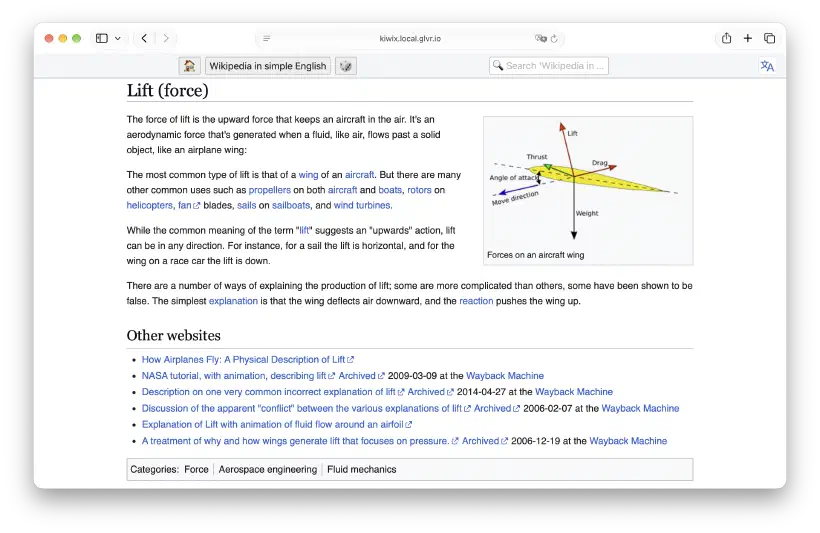
There were chuckles as I recounted using these, but I suspect many people thought I was crazy. Being online meant things were up to date, we got the latest, we got it instantly. But here’s the thing, research into Roman Britain, the structure of teeth, cloud formations, the principles of lift and drag are all tried and tested. Theories may evolve, we may discover more, but research into any of these doesn’t need access to real time information. Why do I have to be online to search for anything?
The conclusion we arrived at was depressingly predictable; offering information like this was no longer a commercially lucrative business and so no one was doing it. Moving information online allowed it to be monetised in ways that a one-time DVD purchase never could.
I set out to challenge this. My goal is to provide access to a research tool that supports Oscar’s curriculum, with options to follow his own curiosity, without needing him to be online at all. I’m encouraged by what we’ve been able to find.
Kiwix
Kiwix https://kiwix.org/en/non-profit/, a non-profit organisation, started in 2006 with a mission.
To empower everyone, everywhere, with offline access to free educational and cultural knowledge.
There are three components to a solution like Kiwix. The first is the infrastructure and tooling needed to package, host, and update online information for offline use. The second is the ability to use the offline packages and handle reading, watching, or searching. But the easiest one to overlook is the act of curating the content that gets made available in offline packages. Kiwix covers all three.
The Reader
The easiest way to get started with Kiwix is to download the Reader app. This is available for most platforms, including mobile devices. The ‘Explore’ tab lets you browse bundles that are available for download. Download a bundle and then you can search the content or browse the ‘Library’ when you are offline. There are bundles for everything from medical advice, an archive of TED talks, and even technical documentation.
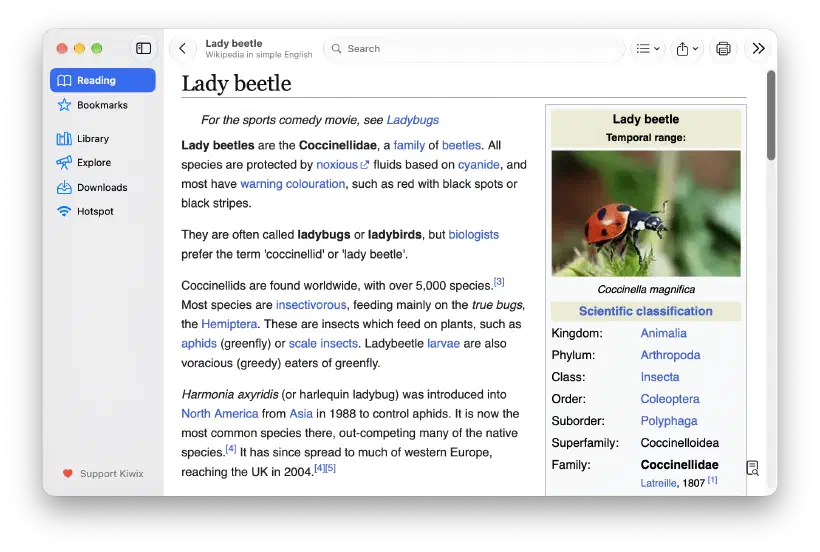
Kiwix also makes the reader available in the browser, useful if you’d like to enable access for groups of people. You can buy a plug in device, ‘internet in a box’, or self-host the Kiwix reader with a container.
The Catalogue
Initially I downloaded the Vikidia maxi bundle.
“Vikidia is an encyclopedic project, based on wiki technology, primarily targeted at 8-13-year-old readers and contributors.”
This sounded ideal and I love that the project accepts contributions from younger readers. But when testing, we bumped into stub articles far too often to be useful for homework. It’s worth noting that the French version appears to be richer in information than the English edition.
The bundle of the Simple English Wikipedia has turned out to be really good. We’ve been testing it for a couple of weeks and it has had articles for everything we needed. If we felt anything was lacking, or didn’t make sense it was a good time for a discussion rather than reaching for more words.
I haven’t vetted the Simple English Wikipedia for child appropriate content but it makes a solid starting point.
It is worth noting that bundles still include external links. It is possible to disable these when self-hosting.
The DIY Edition
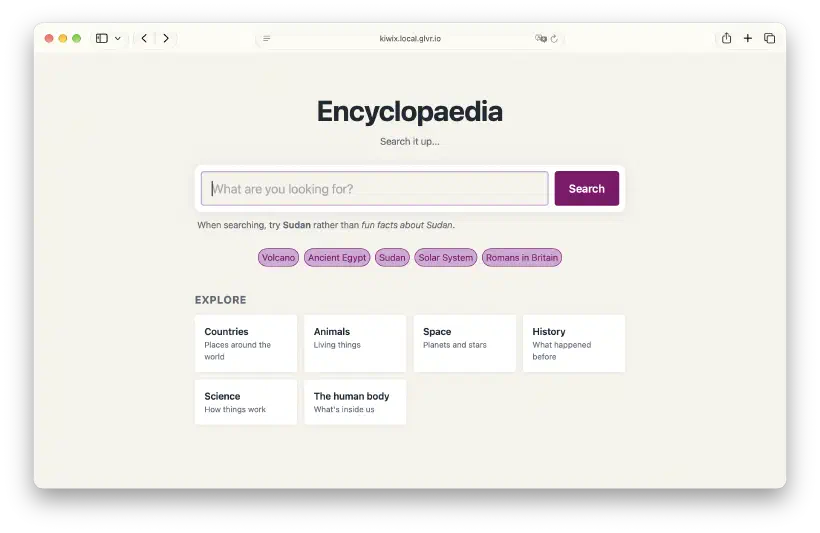
Kiwix provides a container image and instructions for how to host this using Docker Compose. One nice feature is the ability to specify a custom Index page that allows you to create something that fits your use-case. See the --customIndex flag for details. The header image for this post is our work-in-progress index page. After self-hosting the image, browsing the site offline feels remarkably similar to doing so online.
Gaps
- “Sudan” v.s. “Fun Facts about Sudan” - We don’t instinctively think in keywords
- Limited Image availability - I would trade storage for higher quality images
- Supervised mode - Enable external links when supervised
- Regular data refresh - Maintenance is manual for now
If you are interested in working offline, either in relation to online safety, child independence, or just to disconnect for a while then I’d love to hear your experiences.